
HELP
Setting Permissions
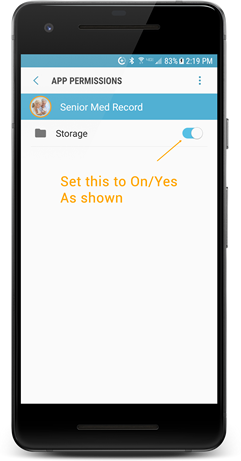
Permission to set: Device Storage
This is necessary because the app will store a person's records on the device.
Can get a 'Senior Med Record' has stopped notice if not set.
1. In your device, go to: Tap the Settings icon
2. Then: Apps / Application Manager > Senior Med Record
3. Find Permissions, then set Storage to Yes/On
4. Restart app
Add A Person
You can add as many people as you wish
1. Click the '3 vertical dots' upper-right of the app
2. Tap Persons
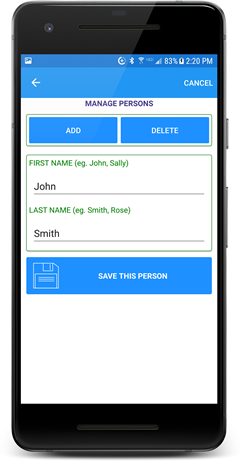
3. Tap 'Add'
4. Enter First and Last name, then tap 'Save This Person'
In the main app screen the current person appears in the top menu bar. If you have more than one person, tap the name to change to another person.
To delete a person, go to Persons again and this time select 'Delete'. Please note the data file of this person is deleted.
Information Input
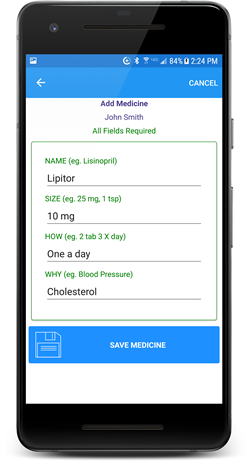
Each category has its own input screen with examples of what to put in each field. All fields are required each time. Use 'None' instead of leaving a field blank.
Add info by tapping the Orange + button for your desired category.
Information Edit/Delete
To edit or delete an entry, just tap the entry in a category list and you will be presented with the options.
File Copy
A special folder, 'Senior Med Record', has been created to store medical documents. The documents can be scanned pages, device camera images of documents, or documents transfered to your device with a USB connection.
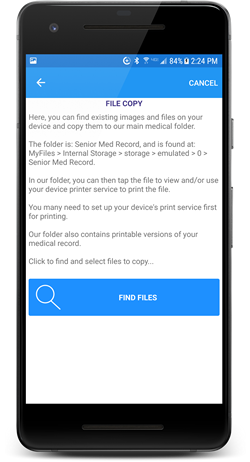
If you have such documents located on your device, click 'File Copy' (the 3 dots), find the desired file(s) and tap the 'Copy Selections' button. Your selected files will be copied to the folder.
To view or print these documents using your device's built in functions, just navigate to this folder and tap the desired file.
Here is the folder location:
MyFiles > Internal Storage > storage > emulated > 0 > Senior Med Record
Printing A Medical Record
Also in the Senior Med Record are printable versions of your medical record.
An example would be:
John Smith.txt
Again, tap this file then use your device's built in printer functions/services to print. You will probably need to set up a print service for your printer before doing this.